My PKMS and Task management System
 Every knowledge worker goes through a rite of passage while developing their personal knowledge management system (PKMS). I’ve been no different. Over the years, I’ve experimented extensively, ranging from Obsidian to a txt file on my desktop.
As, the breadth of things I was involved increase, my working memory was overloaded, and the switching cost between contexts became expensive.
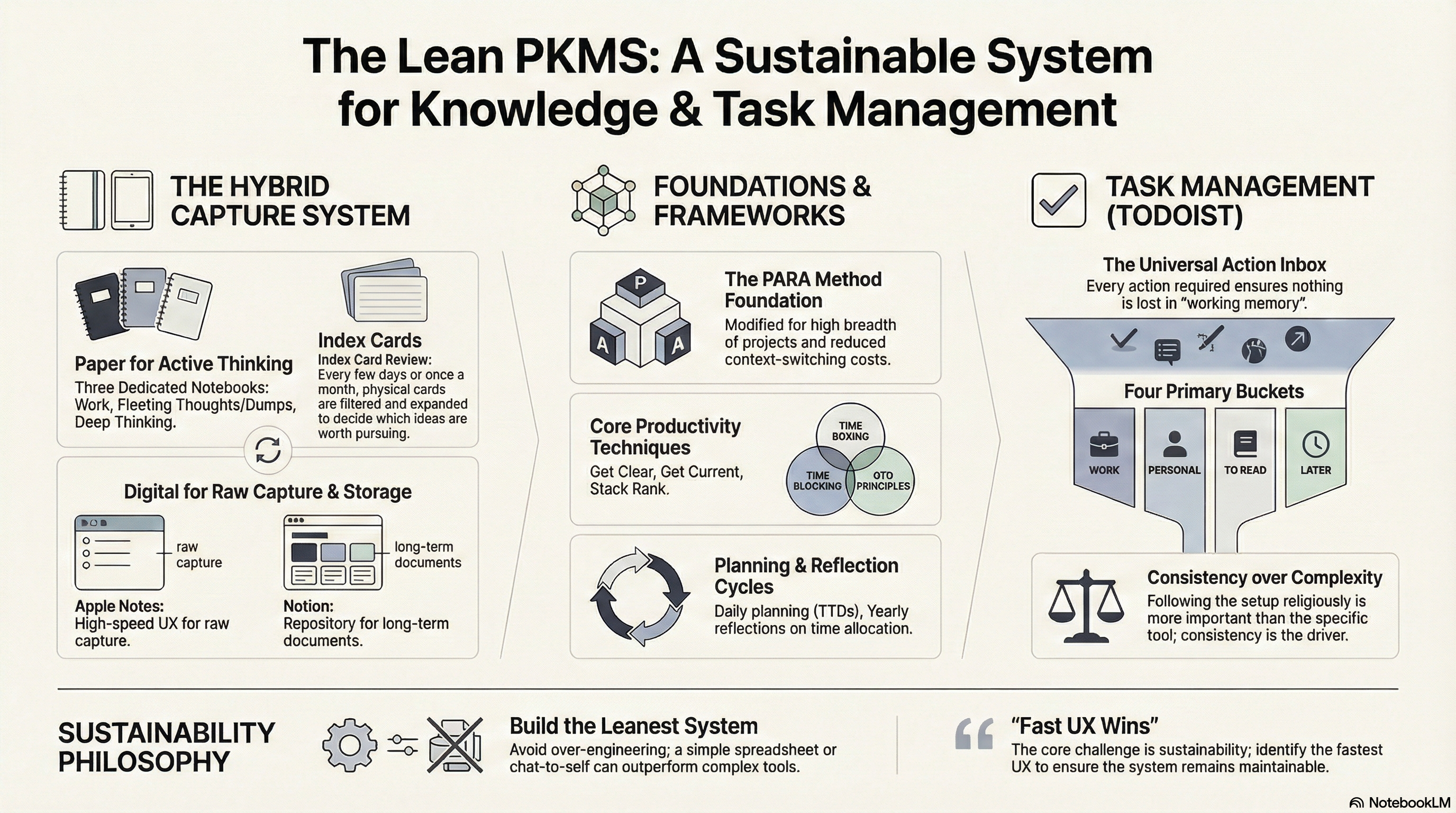
After chatting with my friend (and fellow nerd), Anmol, I discovered the PARA method. I dug deeper into it and eventually modified it to better suit my own needs.
Below are a few notes from my process of developing this system.
Planning & Reflections
- Daily plan and review of TTDs
- Yearly - areas where I want to spend time
Productivity Techniques
These are frameworks I borrow from, which work for me:
- Time Boxing
- Time Blocking
- Get Shit Done / GTD
- Get clear
- Get current
- Stack Rank
Task Management
Any action I need to take goes into Todoist. I’ve created sections that cover all the areas where I typically need to act:
- Work
- Personal
- To Read
- Later
The sections are fairly self-explanatory. I follow this setup religiously, and that consistency matters more than anything else.
Writing & Thought Capture
I use a multi-pronged approach here because I think on both digitally and paper.
Paper
- Running thoughts / active thinking go into dedicated notebooks. I maintain three separate notebooks for work, fleeting thoughts and dumps, and thinking.
- Ideas or seeds to explore use an index-card approach. One idea lives on one card. Whenever I come across something interesting, I write it down and add it to a growing stack. Every few days or once a month, I go through these cards to filter, expand, or revisit ideas worth pursuing.
Digital
- Raw idea capture happens in Apple Notes. Everything goes here. The UX is so good that after nearly ten years of using Google Keep, I switched to Apple Notes.
- Long-term notes or working documents live in Notion.
This system may or may not work for you. The core challenge with any PKMS or task management setup is that it needs to work for you, and more importantly, it needs to be sustainable.
Over-engineering a system to serve every possible use case might look elegant, but in my experience, it’s hard to maintain over time.
Try to identify and build the leanest system with the fastest UX that fits your workflow. Something as simple as a spreadsheet or even a personal chat with yourself on Slack or WhatsApp can outperform 75% of productivity tools, if you use it consistently.